The FRAG primitive creates a filled shape out of the current turtle position and her last two positions. For example:
FD 100 RT 90 FD 100 FRAG
will create a triangle.
While turtleSpaces has a variety of shape primitives, sometimes you need to create an arbitrary shape, and FRAG aids you in this.
Take this example, which draws a star:
TO star
  repeat 4 [
    forward 100
    right 170
    forward 86
    frag
    left 70
    forward 86
    right 170
    forward 100
    frag
    right 180
  ]
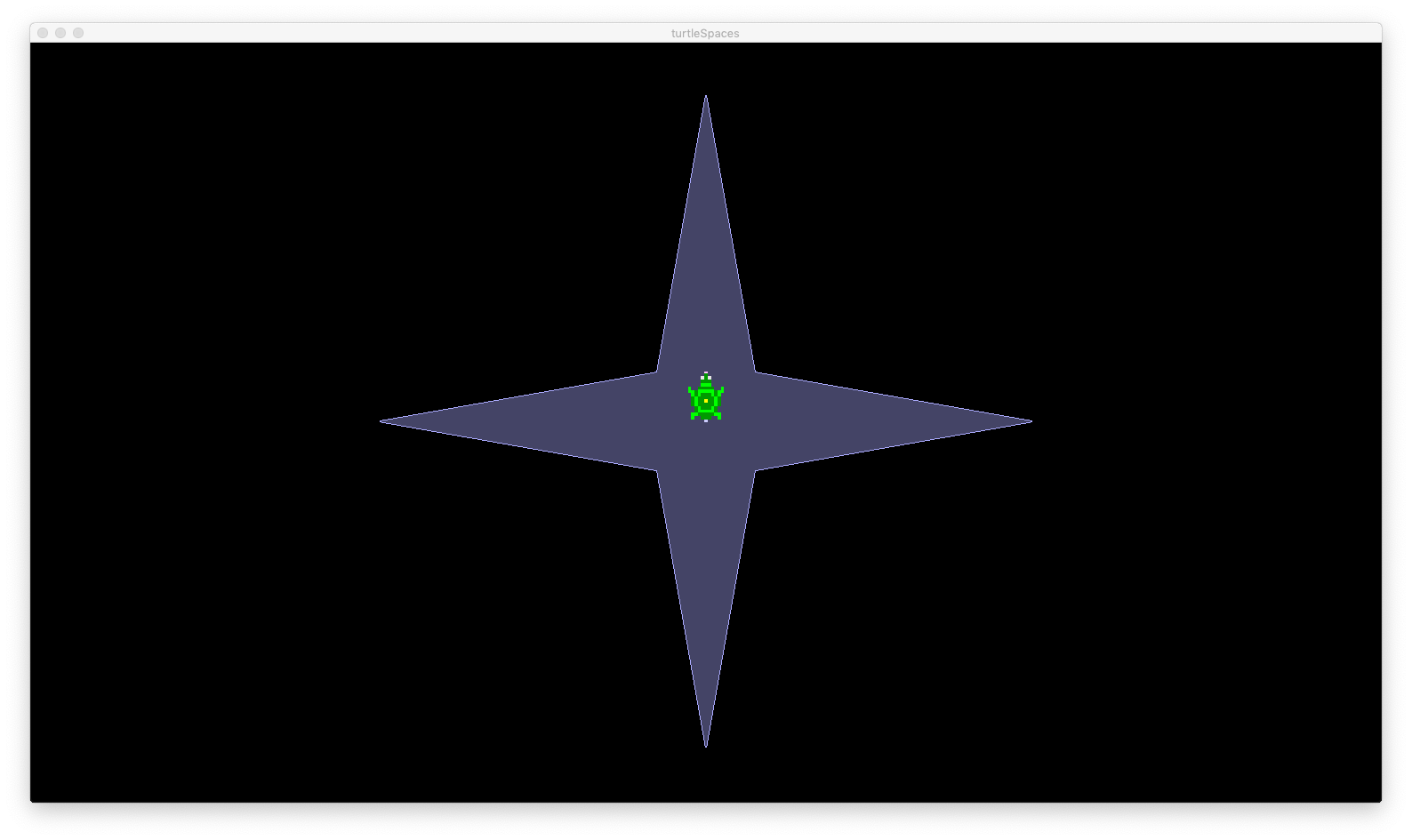
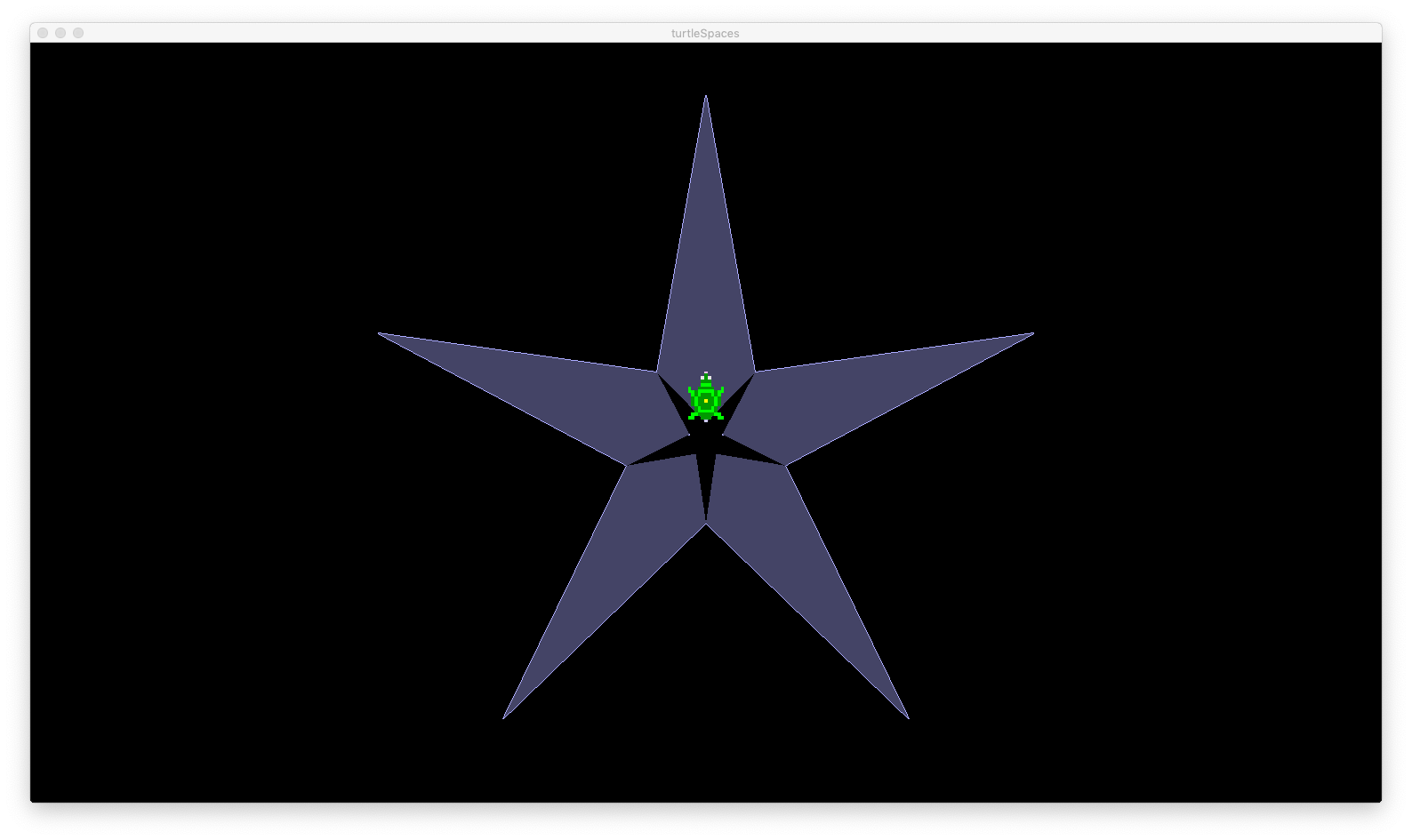
We can change the number of sides the star has by changing the number of repeats and fiddling with the values a bit:
TO star2
  repeat 5 [
    fd 100 rt 170
    fd 86 frag
    lt 88 fd 86
    rt 170 fd 100
    frag rt 180
  ]
END
First, let’s change our star procedures so they can take a :size parameter, like so:
TO star1 :size
  repeat 4 [
    fd 100 * :size
    rt 170
    fd 86 * :size
    frag
    lt 70
    fd 86 * :size
    rt 170
    fd 100 * :size
    frag
    rt 180
  ]
END
In this case, :size is a ratio, that is, 0.5 will make a star half the size, and 2 will make a star twice the size of the default.
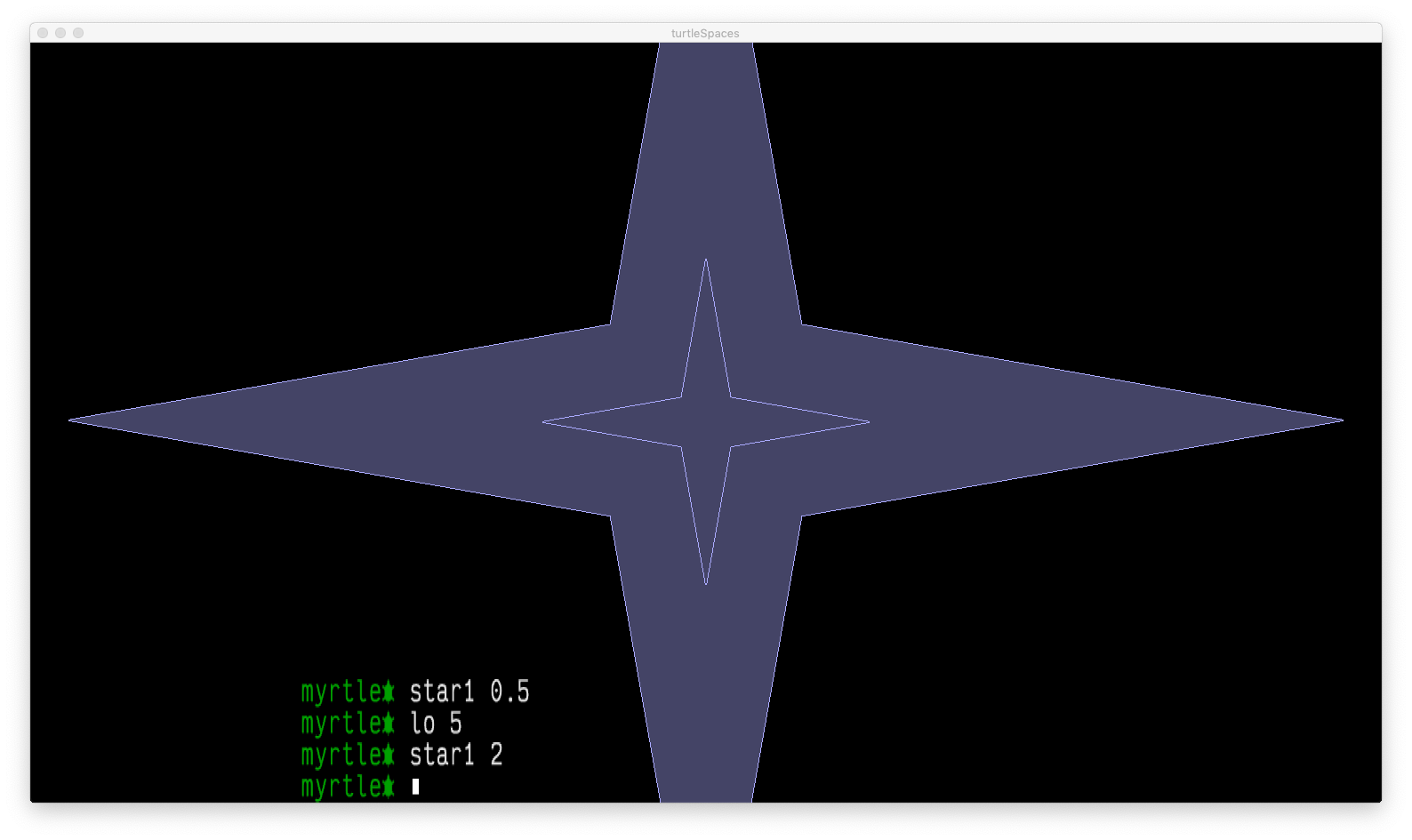 You can change the color of the star using the SETFILLCOLOR primitive, or set a random fill color with RANDFC.
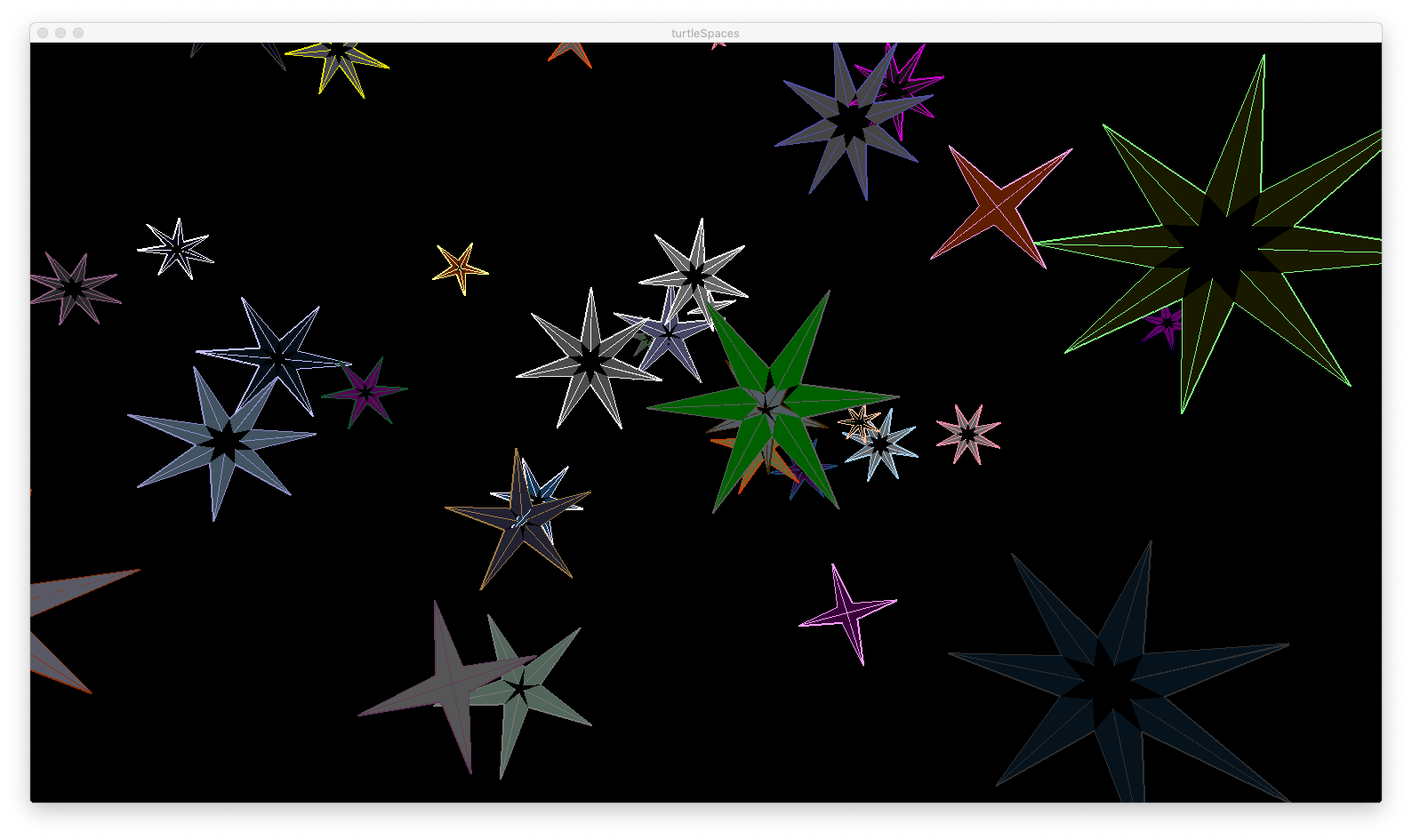
The following procedures create a sky full of stars:
TO star1 :size
  repeat 4 [
    fd 100 * :size
    rt 170
    fd 86 * :size
    frag
    lt 70
    fd 86 * :size
    rt 170
    fd 100 * :size
    frag
    rt 180
  ]
END

TO star2 :size
  repeat 5 [fd 100 * :size rt 170 fd 86 * :size frag lt 88 fd 86 * :size rt 170 fd 100 * :size frag rt 180]
END

TO star3 :size
  repeat 6 [fd 100 * :size rt 170 fd 86 * :size frag lt 100 fd 86 * :size rt 170 fd 100 * :size frag rt 180]
END

TO star4 :size
  repeat 7 [fd 100 * :size rt 170 fd 86 * :size frag lt 108.625 fd 86 * :size rt 170 fd 100 * :size frag rt 180]
END

TO star5 :size
  repeat 8 [fd 100 * :size rt 170 fd 86 * :size frag lt 115 fd 86 * :size rt 170 fd 100 * :size frag rt 180]
END

TO stars
  reset cam:setposition [0 0 0]
  cam:fixate [0 0 0]
  cam:setviewpoint [0 0 0]
  cam:newworker [forever [up 0.1 lt 0.1 rr 0.1 wait 1]]
  repeat 200 [
    pu home randori fd 400 + random 1000 up 90
    lt random 60 pd randpc randfc randfs randps
    make "size (10 + random 90) / 100
    run {pick [star1 star2 star3 star4 star5] :size}
  ]

END
Type STARS and press Enter to see the stars!
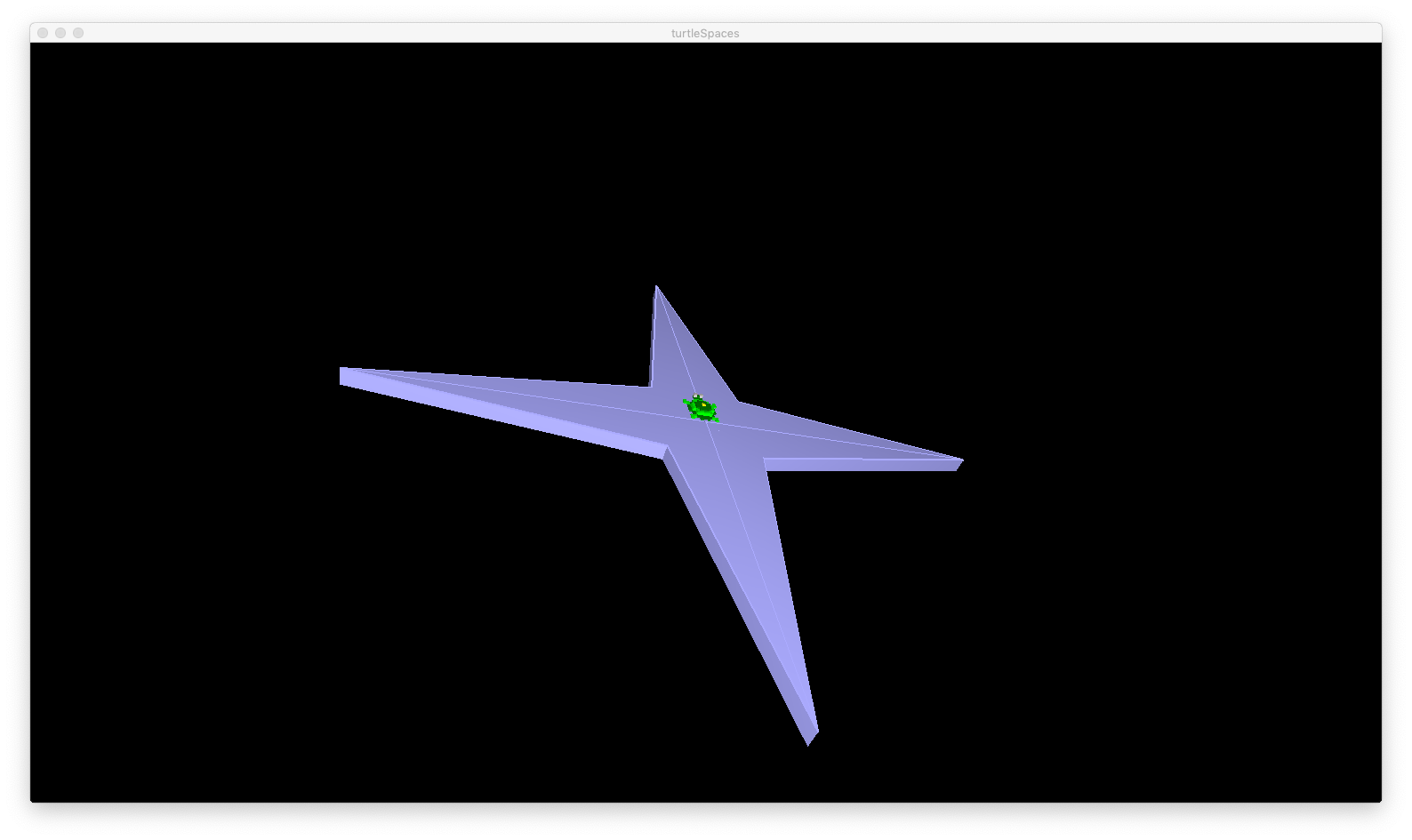
FRAG’s sister, SHARD creates a three-dimensional FRAG with depth beneath it. This depth is supplied as a parameter, in turtle-units, eg. SHARD 5. Try replacing FRAG with SHARD 5 in one of your star procedures and see what happens! (You’ll need to drag the camera around to see the sides of the star)